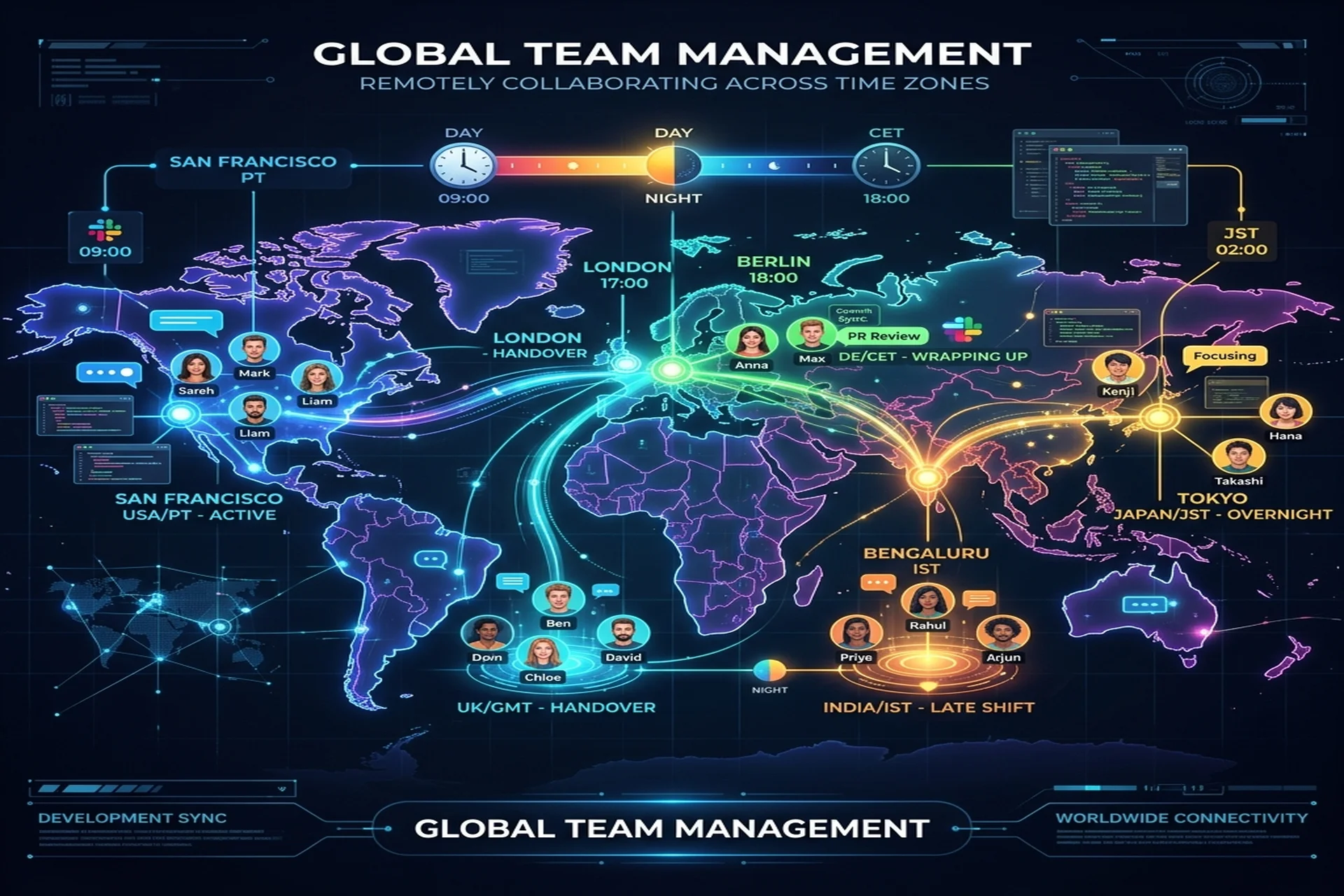
To manage a remote development team across time zones, fix a short daily overlap window for live decisions and run everything else async-first: written specs, written status, and a weekly demo of working software. Put one named owner on each side, and treat the time gap as an advantage — work handed off at the end of your day continues while you sleep. The companies that struggle with offshore teams almost never fail on talent; they fail on vague briefs, no single owner, and meetings used where writing was needed.
Start with an overlap window, not a full-day expectation
An overlap window is the block of hours when both sides are online at the same time. You do not need eight hours of it — you need two to three reliable hours, every working day, reserved for the things that genuinely require real-time conversation: the standup, fast decisions, pairing on a hard problem, and clearing blockers. Everything outside that window should be designed to run without you.
Set the window deliberately and write it down. A team in the US, UK, or Gulf working with engineers in South Asia typically lands a clean overlap in the client's morning, which is the offshore team's evening. The exact hours matter less than the commitment: a window that is "whenever someone is around" produces the worst of both worlds — interruptions all day and no guaranteed time when the right people are actually present.
Go async-first: writing is the system of record
Async-first means the default way to move information is written and durable, not spoken in a meeting that half the team can't attend. When your team spans a 4-12 hour gap, a question that waits for the next live call can cost a full working day. A clearly written ticket, on the other hand, lets the next person pick the work up the moment they log on.
Three tool categories carry an async-first team, and the specific brands matter less than the discipline of using them:
- An issue tracker is the single source of truth for what is being built and why. Every task has acceptance criteria and one assignee.
- A docs space holds decisions, architecture, and onboarding — the things that outlive any one ticket and that a new joiner should be able to read without a meeting.
- A chat tool handles quick coordination, but it is the most perishable channel. Anything that must survive past today belongs in the tracker or the docs, not buried in a thread.
The test of an async-first culture is simple: if a key person is offline for a day, does work stall? In a healthy setup it does not, because the answers people need are already written down.
Written status discipline beats status meetings
Written status updates are the highest-leverage habit for a distributed team. A short daily or end-of-shift note — what moved, what is blocked, what is next — gives the other time zone something concrete to act on before they are even online. It replaces the "quick sync" that someone always misses and creates a searchable trail of how decisions were made.
Good status writing is specific. "Working on the checkout flow" tells you nothing across a time gap; "Checkout API done and in review, blocked on the payment provider's sandbox keys, will start the refund path once unblocked" lets the reader unblock the team while the author sleeps. Reward people for surfacing risks early — a team that hides problems until the demo is a team that has stopped writing honestly.
Set a demo cadence and keep it
A demo of working software on a fixed cadence is the most reliable way to keep a remote build on track. Weekly is a healthy default. A real demo — running software, not slides — proves progress, surfaces misunderstandings while they are still cheap to fix, and gives stakeholders a predictable checkpoint they can plan around. Record it so anyone outside the overlap window can watch on their own time.
This is exactly how Apex IT Solutions structures delivery: remote-first, with a named lead engineer, weekly demos, and written status updates, plus an overlap window agreed with each client. The point of the cadence is not ceremony; it is to make slippage visible within days instead of at the end of a milestone.
Use the follow-the-sun advantage on purpose
Follow-the-sun is the practice of handing work between time zones so that progress continues almost around the clock. A bug you file at the end of your day can be fixed and waiting in review when you wake up. A spec you finalize before logging off becomes a full day of build before your next morning. Handled well, a time gap stops being a tax and becomes a multiplier.
It only works with two things: a clean written handoff (so the receiving side knows exactly what to do without a conversation) and a single owner per task (so nothing falls through the gap between shifts). Without those, "follow the sun" just means things get dropped twice a day.
How to structure a standup across a 4-12 hour gap
- If the gap is small (4-6 hours): hold one short live standup inside the overlap window — yesterday, today, blockers — and keep it under fifteen minutes.
- If the gap is wide (8-12 hours): run a written standup in your chat tool. Each person posts before they log off; the lead reads and responds before the next shift begins.
- Always: capture decisions and new blockers in the issue tracker, not only in chat, so they survive the handoff.
- Always: protect the overlap window for problems that genuinely need a conversation, and resist letting it expand into an all-day meeting habit.
Common failure modes — and the fixes
- Vague briefs. Ambiguity that would cost an hour to clear up in-house costs a full day across a time gap. Fix: every task carries written acceptance criteria before anyone starts coding.
- No single owner. When responsibility is shared, decisions stall and no one is accountable. Fix: one named lead on each side who owns the outcome and the handoffs.
- Meetings used where writing was needed. Live calls that exclude half the team waste the overlap window. Fix: default to written specs and recorded demos; reserve live time for real decisions.
- Chat as the system of record. Critical context buried in threads disappears across shifts. Fix: promote anything durable into the tracker or docs.
- Silent blockers. A problem hidden until the demo is a week lost. Fix: a status culture that rewards flagging risks early.
A checklist before you start a remote engagement
- Agree the daily overlap window in writing, including which hours each side commits to.
- Name one lead on each side — yours and the vendor's — accountable for delivery.
- Choose your issue tracker, docs space, and chat tool, and define what belongs in each.
- Decide the demo cadence and where recordings live.
- Require written acceptance criteria on every task and a written end-of-shift status.
- Confirm the code lives in your repository, with scoped access for the remote team.
If you would rather not stand up all of this yourself, a structured vendor does it by default. Apex IT Solutions runs dedicated development teams on a remote-first model with a named lead, weekly demos, and an agreed overlap window — across clients in the USA, UK, UAE, Saudi Arabia, and Canada.
Frequently Asked Questions
How much daily overlap does a remote development team actually need?
For most projects, two to three hours of guaranteed daily overlap is enough. Use it for the standup, live decisions, and unblocking — and push everything else (specs, reviews, status) into writing so the other 5-6 working hours stay productive without you online.
What is async-first communication and why does it matter across time zones?
Async-first means the default way to share information is written and durable — a ticket, a doc, a recorded demo — rather than a live meeting. It matters because when your team spans a 4-12 hour gap, a question that waits for a meeting can cost a full day, while a clearly written ticket lets the next person pick it up the moment they log on.
How do you run a standup when the team is 4-12 hours apart?
Pick one fixed time inside the overlap window and keep it short — yesterday, today, blockers. If the gap is too wide for everyone to attend live, run a written standup in your chat tool where each person posts before they log off, and the lead reads and responds before the next shift starts.
What is the follow-the-sun advantage?
Follow-the-sun means work is handed off between time zones so progress continues almost around the clock. A bug filed at the end of your day can be fixed and waiting in review when you wake up. It only works with clear written handoffs and a single owner per task — otherwise the handoff drops things instead of advancing them.
What are the most common reasons remote dev engagements fail?
The two biggest failure modes are vague briefs and no single owner. A vague brief forces the team to guess across a time gap where guesses cost a day each; no single owner means decisions stall and no one is accountable for the outcome. Fix both with written specs that include acceptance criteria and one named lead on each side.
How often should a remote team demo working software?
Weekly is a healthy default. A demo of working software every week — not slides — proves real progress, surfaces misunderstandings early while they are cheap to fix, and gives stakeholders a predictable checkpoint. Record it so people outside the overlap window can watch on their own schedule.
Want help with this? Apex IT Solutions builds custom software, web, mobile apps, and DevOps for B2B clients in the US, UK, UAE, KSA, Canada, and Pakistan, on a remote-first model with a named lead and weekly demos. Talk to an engineer for a free consultation, or request a quote.